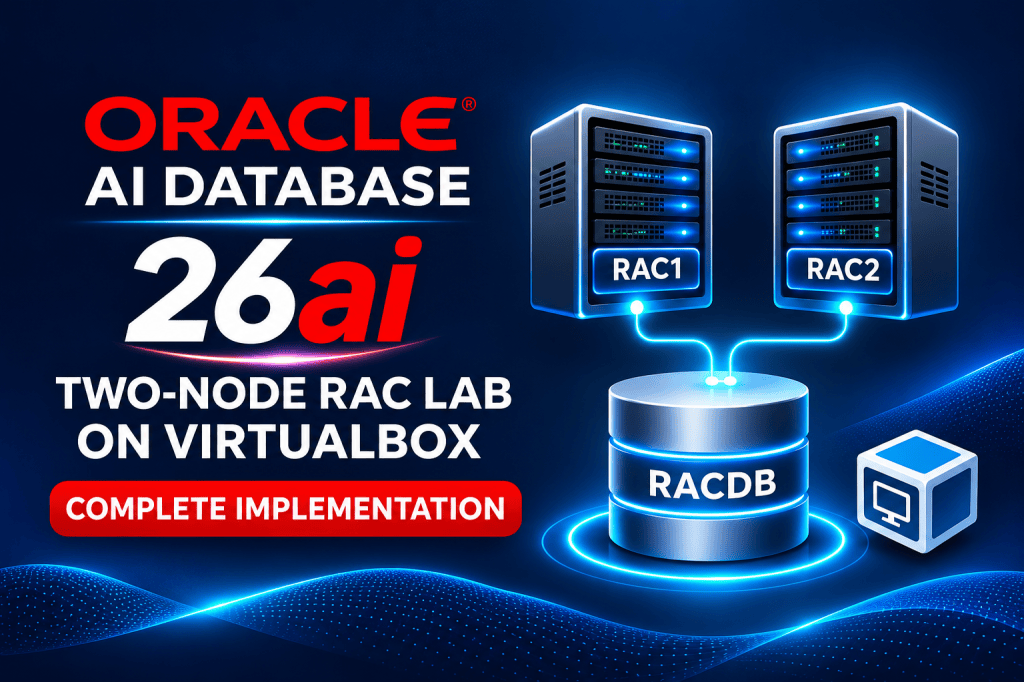
Alhamdulillah, this article documents my completed two-node Oracle RAC lab built on VirtualBox using Oracle Linux 9.8 and Oracle AI Database 26ai. It covers the lab architecture, shared ASM storage, Grid Infrastructure installation, SCAN and VIP configuration, RAC database creation with DBCA, and the validation commands used to confirm that both instances and the PDB were running successfully.
1. Lab overview
The lab runs on a Windows Server 2025 host with Oracle VirtualBox. Two Oracle Linux 9.8 virtual machines form the RAC cluster. A separate BIND DNS virtual machine provides name resolution for the node names, VIPs and SCAN name.
| Component | Configuration |
|---|---|
| Host | Windows Server 2025 with VirtualBox |
| Guest OS | Oracle Linux 9.8 |
| Cluster nodes | rac1 and rac2 |
| DNS | Dedicated BIND DNS VM |
| Database | Oracle AI Database 26ai, 23.26.1.0.0 |
| Database name | RACDB |
| Global database name | RACDB.lab.local |
| CDB / PDB | RACDB / RACPDB1 |
| Cluster mode / ASM | Flex cluster with Flex ASM |
2. Network design
The Grid Infrastructure installer identified both cluster nodes and their configured host names. The screenshot below shows the node information used during cluster configuration.
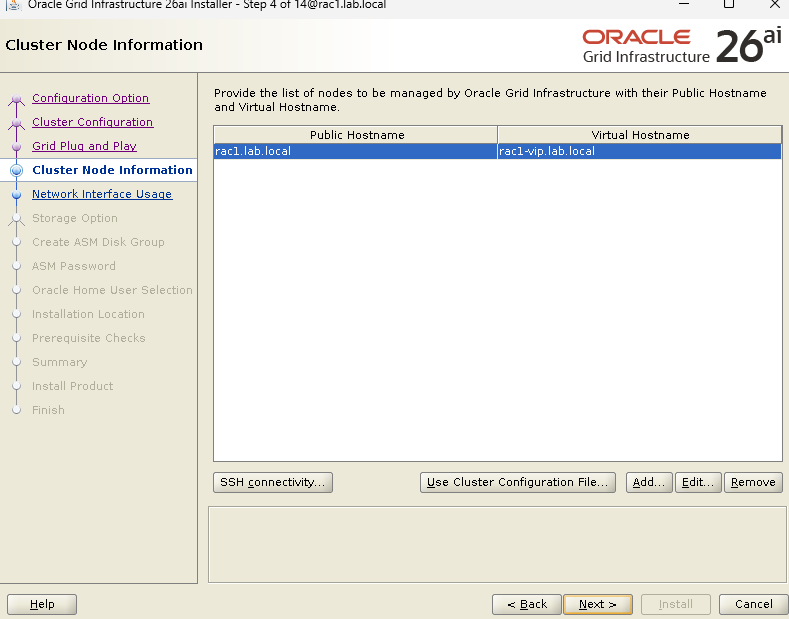
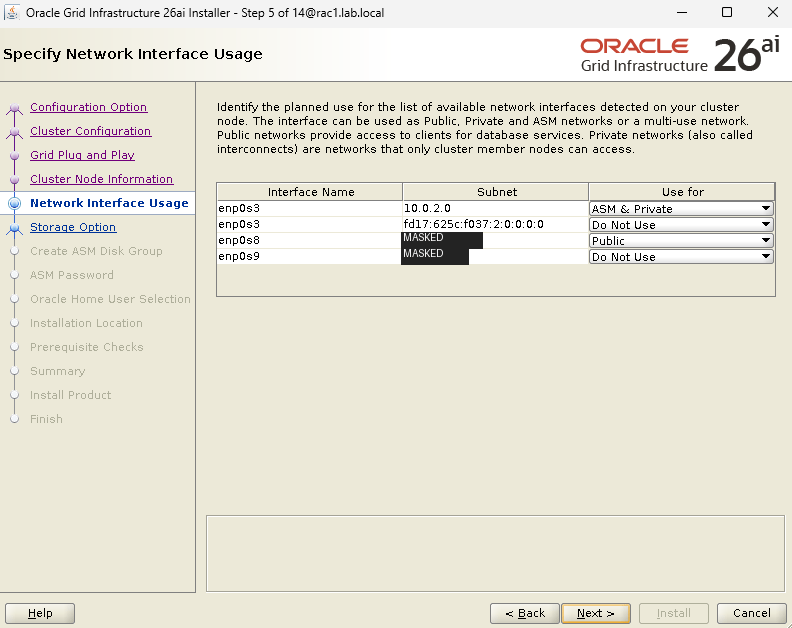
Each RAC node has a public interface, a private interconnect interface and a NAT interface. The public network is used for client and cluster-facing connectivity, while the private network is dedicated to the RAC interconnect. IP addresses in the tables below have been partially masked for privacy; substitute the actual lab addresses when reproducing the configuration.
| Network | RAC1 | RAC2 |
|---|---|---|
| Public | 192.168.56.XX | 192.168.56.XX |
| Private interconnect | 10.10.10.XX | 10.10.10.XX |
| Node VIP | 192.168.56.XX | 192.168.56.XX |
| NAT | 10.0.2.XX | 10.0.2.XX |
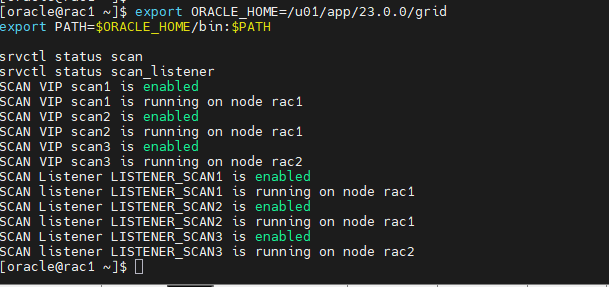
The SCAN name is rac-scan.lab.local and resolves through DNS to three SCAN VIP addresses (masked here for privacy). SCAN listeners use TCP port 1521.
nslookup rac-scan.lab.locallsnrctl status LISTENER_SCAN1
Name resolution returned all three SCAN addresses, and the SCAN listener status showed the RAC database and PDB services registered and READY.
3. Shared VirtualBox storage and ASM
RAC requires shared storage that both nodes can access. For this lab, the ASM virtual disks were created as Shareable VDI files and attached to both RAC VMs. The shared disks were kept separate from each VM’s operating-system disk.
| ASM disk group | Shared disk allocation | Redundancy | Purpose |
|---|---|---|---|
| CRS | Three 10 GB disks | NORMAL | Cluster registry and voting files |
| DATA | 30 GB disk | EXTERNAL | Database files |
| RECO | 30 GB disk | EXTERNAL | Recovery area |
Persistent device ownership and permissions were configured with udev rules in /etc/udev/rules.d/99-oracle-asm.rules. The ASM devices were assigned to the Grid owner and the appropriate ASM group with mode 0660.
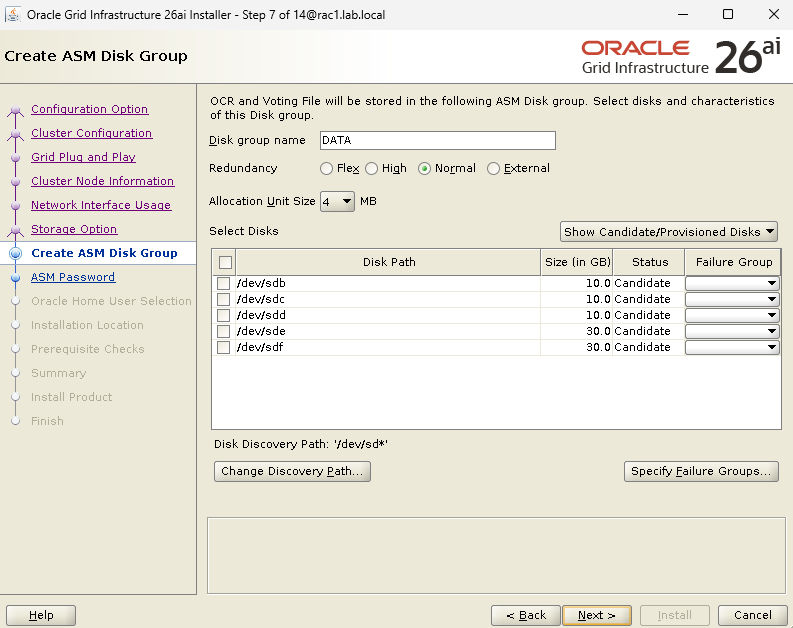
All five ASM VDI files were shared between rac1 and rac2, with separate VDI files for each disk group. The CRS disk group was configured with three voting disks using NORMAL redundancy, while DATA and RECO used EXTERNAL redundancy. The three CRS voting disks were online, and CRS, DATA and RECO were mounted on both nodes. External redundancy means ASM does not provide disk-group mirroring, so the underlying storage protection must be considered separately.
# Confirm ASM instances are running on both nodessrvctl status asm# Confirm the three CRS voting disks are onlinecrsctl query css votedisk
4. Grid Infrastructure and cluster validation
The Grid Infrastructure home was /u01/app/23.0.0/grid. Grid Infrastructure was installed and configured on both nodes. The cluster reported Flex mode, and both nodes were Active.
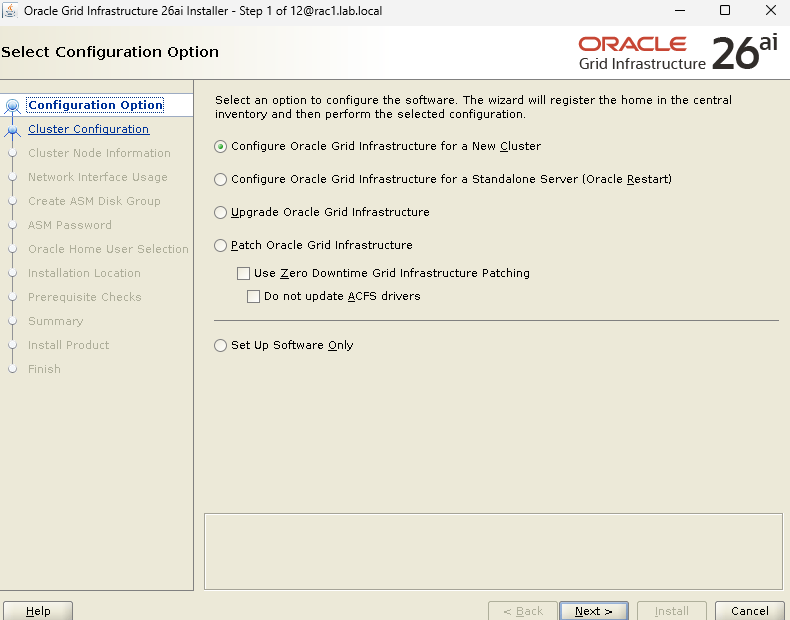
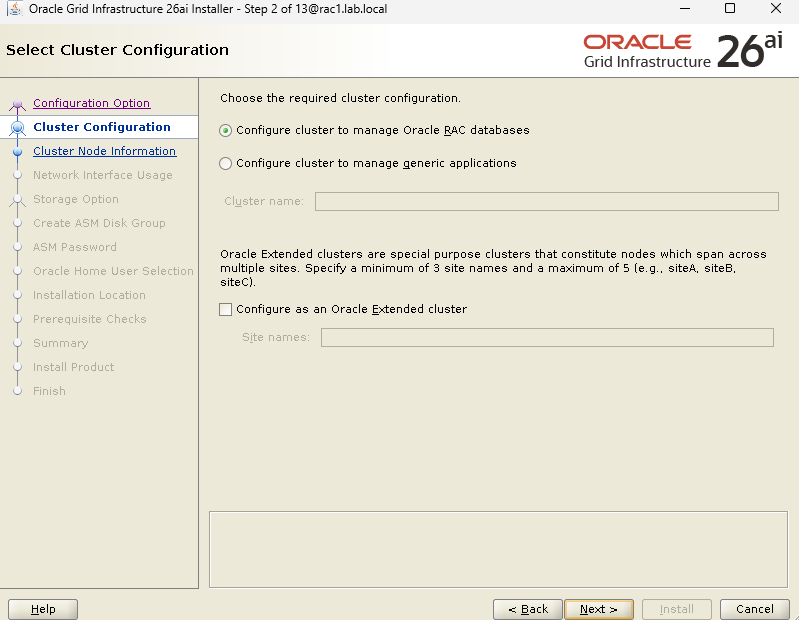
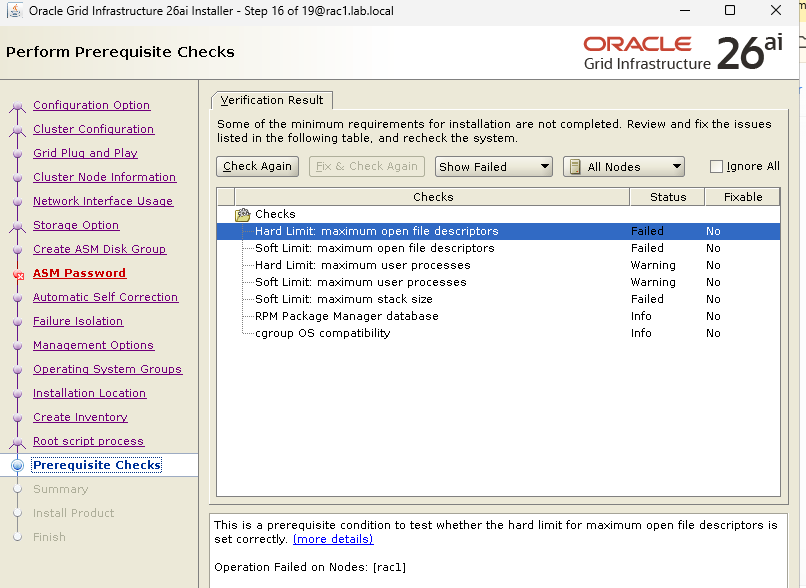
Clusterware, CSS and EVM were online on both nodes. ASM was running on rac1 and rac2. The CRS, DATA and RECO disk groups were mounted, and the three voting disks were online.
# List cluster nodes with node numbersolsnodes -n# Show node status (Active / Inactive)olsnodes -s -n# Confirm cluster mode (Flex)crsctl get cluster mode status# Show all Clusterware resources and their statecrsctl stat res -t
5. Oracle Database software
The database home was configured as /u01/app/oracle/product/23.0.0/dbhome_1. The installed Oracle AI Database release was 23.26.1.0.0. The database home was present on both nodes, with matching patch inventory.
The Database home (dbhome_1) inventory included patch 38743688 (OCW) and patch 38743669 (Database RU 23.26.1). The Grid Infrastructure home (/u01/app/23.0.0/grid) has its own inventory, which also included additional Grid Infrastructure patch components.
6. Creating the RAC database with DBCA
After validating Grid Infrastructure, ASM and the database software, I created the RAC database using Database Configuration Assistant (DBCA).
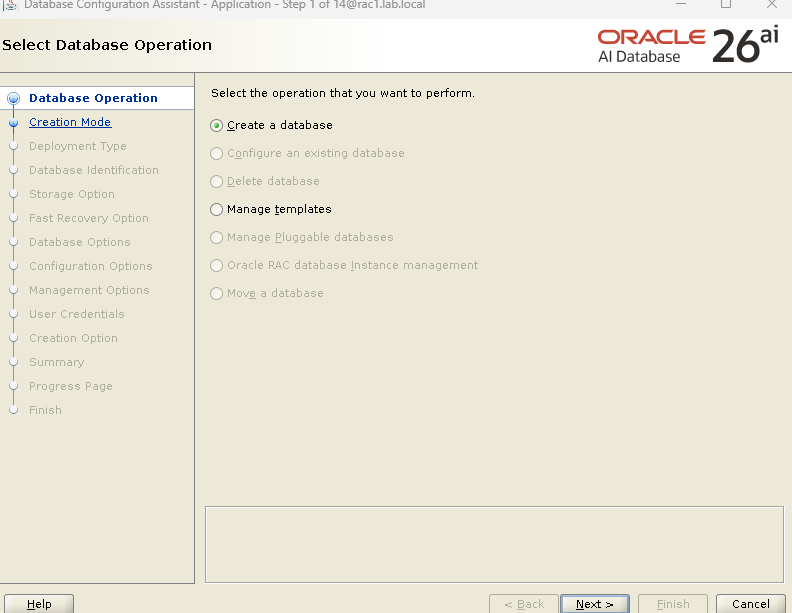
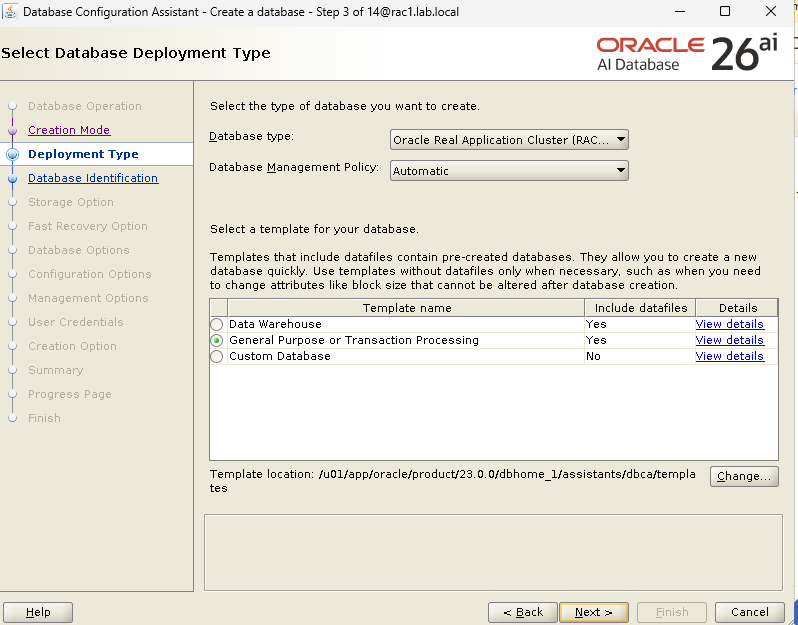
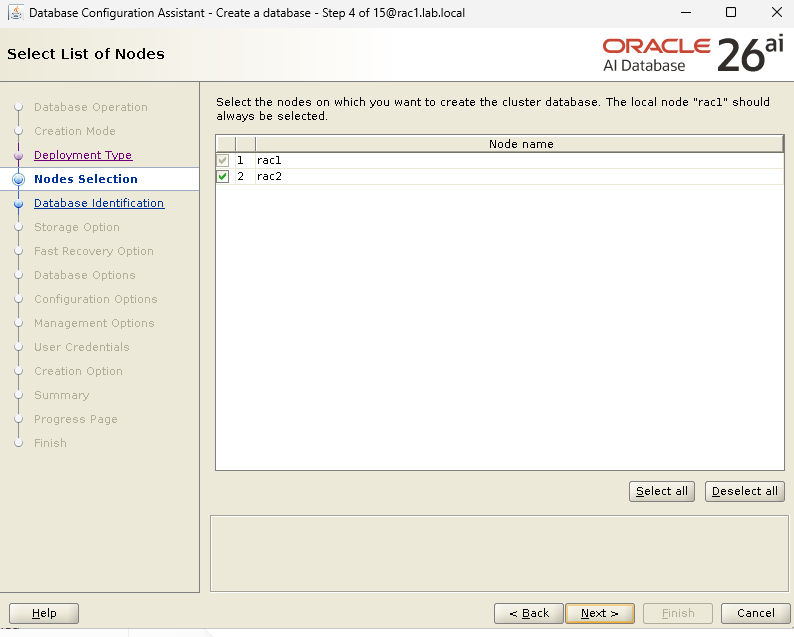
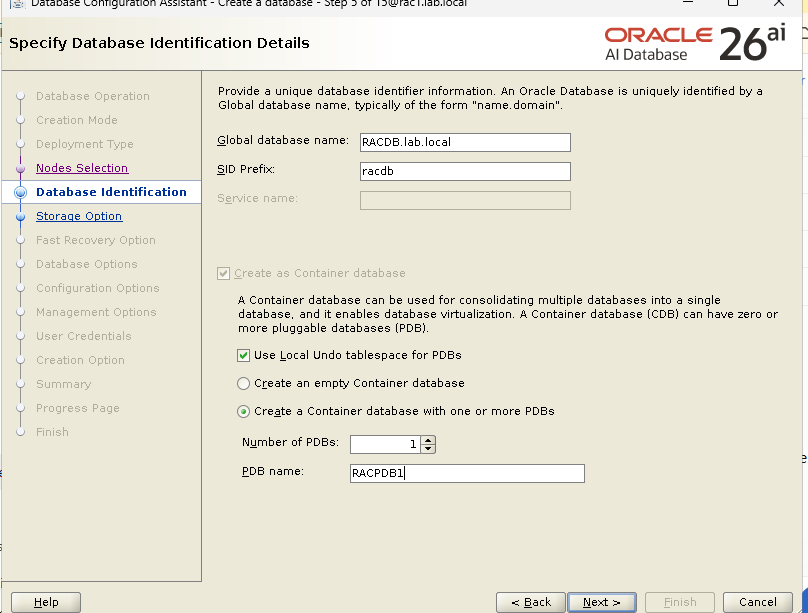
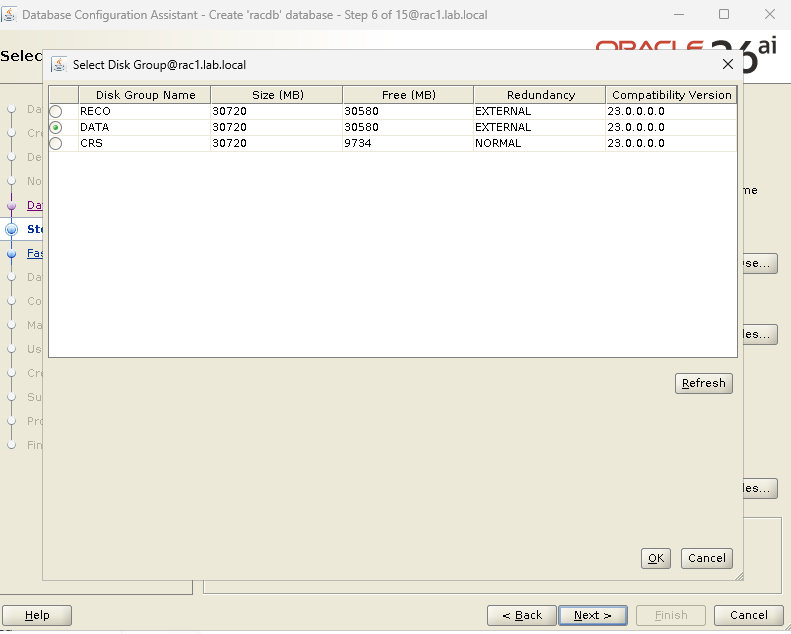
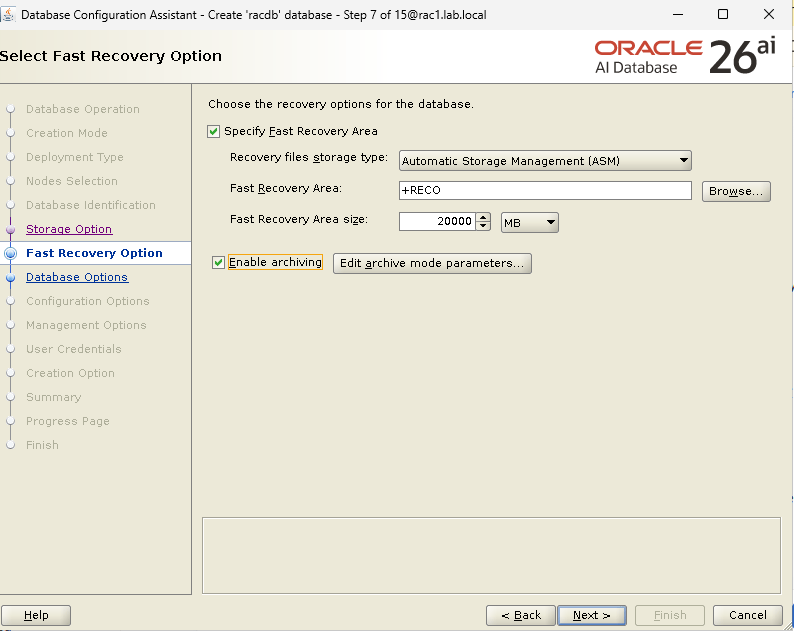
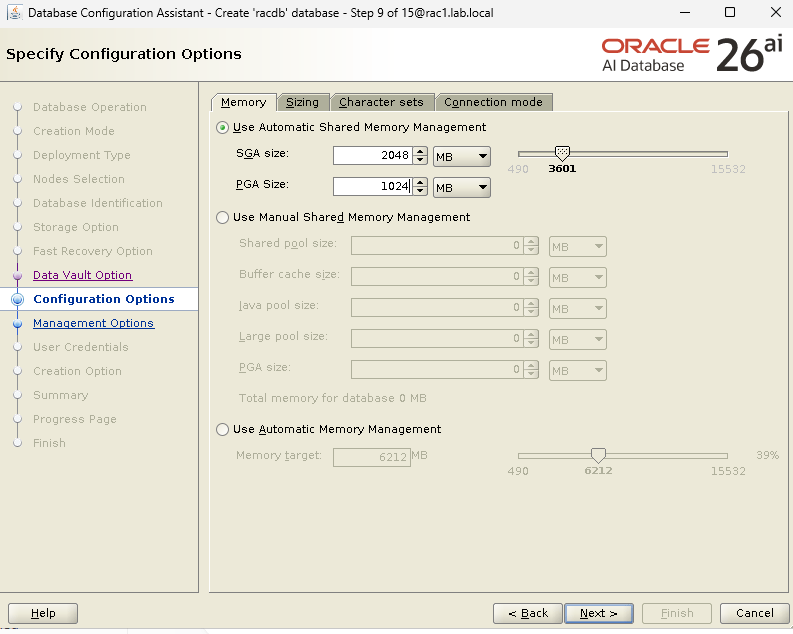
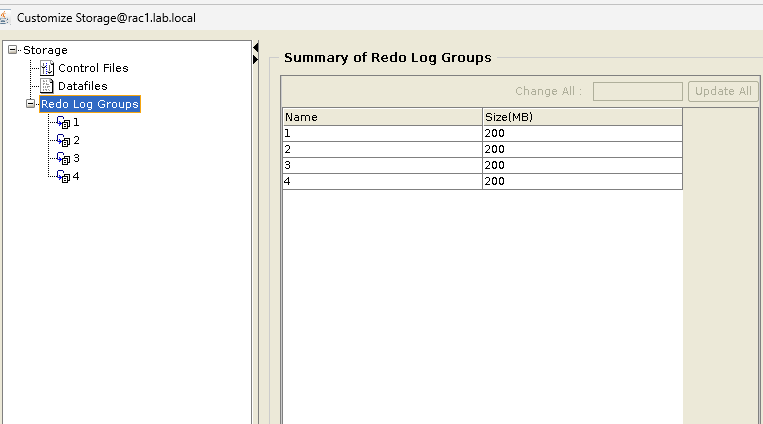
The final DBCA settings were:
| Setting | Value |
|---|---|
| Database name / SID prefix | RACDB / racdb |
| Global database name | RACDB.lab.local |
| Instances | racdb1 on rac1; racdb2 on rac2 |
| Architecture | Container database enabled |
| PDB | RACPDB1 |
| Undo | Local undo |
| Character set | AL32UTF8 |
| National character set | AL16UTF16 |
| Block size | 8192 bytes |
| SGA / PGA | 2048 MB / 1024 MB per instance |
| Processes | 320 |
| Data files | ASM, +DATA |
| Recovery area | +RECO, configured at 20,000 MB |
| Logging | ARCHIVELOG enabled |
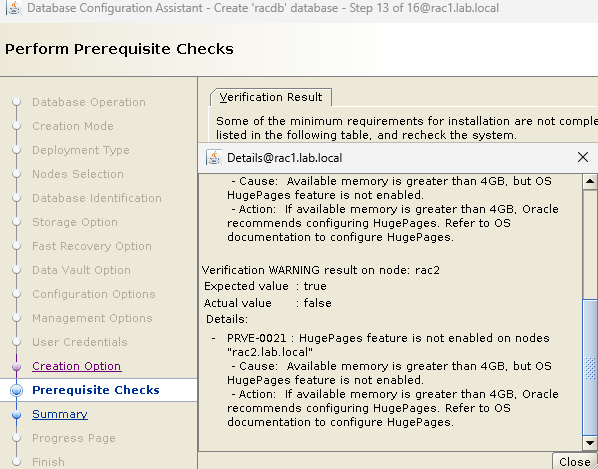
During the prerequisite checks, DBCA reported a HugePages warning for this lab configuration.
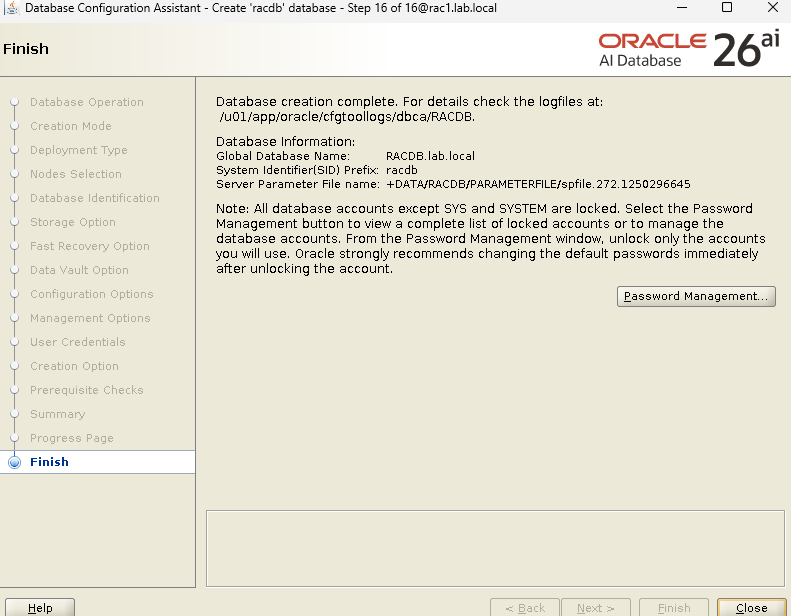
DBCA completed successfully. The SPFILE and password file were stored in ASM. The database was registered with Clusterware using automatic management.
7. Validate database registration and instances
First, I checked the database configuration and runtime status through SRVCTL.
srvctl config database -db RACDBsrvctl status database -db RACDBsrvctl status service -db RACDB
The database was registered with instances racdb1 and racdb2 on rac1 and rac2. Both instances were running, and the application service was active on both nodes.

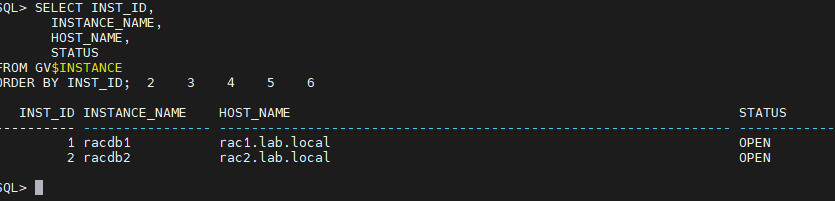
I also queried GV$INSTANCE to verify the instances from the database:
SET LINESIZE 150 PAGESIZE 100COL INST_ID FORMAT 99COL INSTANCE_NAME FORMAT A15COL HOST_NAME FORMAT A20COL STATUS FORMAT A10COL DATABASE_STATUS FORMAT A15SELECT INST_ID, INSTANCE_NAME, HOST_NAME, STATUS, DATABASE_STATUSFROM GV$INSTANCEORDER BY INST_ID;
The query returned two instances: racdb1 on rac1.lab.local and racdb2 on rac2.lab.local. Both reported OPEN and ACTIVE.
8. Validate the PDB on both instances
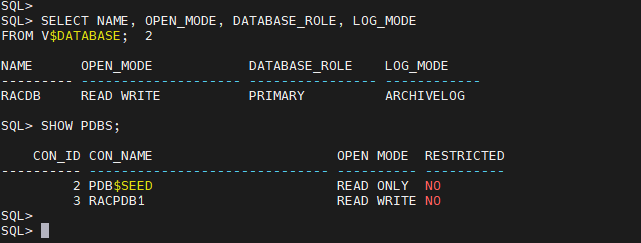
The PDB RACPDB1 was open in READ WRITE mode on both RAC instances.
SET LINESIZE 120 PAGESIZE 100COL INST_ID FORMAT 99COL NAME FORMAT A15COL OPEN_MODE FORMAT A12SELECT INST_ID, NAME, OPEN_MODEFROM GV$PDBSWHERE NAME = 'RACPDB1'ORDER BY INST_ID;
9. RAC service configuration
The application service was named RACDB_RACPDB1 and was associated with PDB RACPDB1. It was configured with cardinality 2, PRIMARY role, automatic management policy and both RAC instances as preferred instances.
srvctl config service -db RACDBsrvctl status service -db RACDB
The service was running on racdb1 and racdb2. The configured failover type was NONE; therefore, an existing client session should not be assumed to survive an instance failure. A new connection can be routed to a surviving instance when the service is available there.
10. Test client connectivity through SCAN
I configured a TNS alias that uses the SCAN name and the RAC application service:
RACPDB1 = (DESCRIPTION = (ADDRESS = (PROTOCOL = TCP) (HOST = rac-scan.lab.local) (PORT = 1521) ) (CONNECT_DATA = (SERVICE_NAME = RACDB_RACPDB1.lab.local) ) )
From SQL*Plus, I connected interactively so that the password was entered at the prompt rather than embedded in a command or connection string.
sqlplus /nolog
CONNECT SYSTEM@RACPDB1
The connection succeeded. I used the following query to identify the database, container and instance that accepted the connection:
SET LINESIZE 120COL DB_NAME FORMAT A10COL CON_NAME FORMAT A12COL INSTANCE_NAME FORMAT A15COL SERVER_HOST FORMAT A15SELECT SYS_CONTEXT('USERENV','DB_NAME') DB_NAME, SYS_CONTEXT('USERENV','CON_NAME') CON_NAME, SYS_CONTEXT('USERENV','INSTANCE_NAME') INSTANCE_NAME, SYS_CONTEXT('USERENV','SERVER_HOST') SERVER_HOSTFROM DUAL;
The connection test returned the following session details:
DB_NAME CON_NAME INSTANCE_NAME SERVER_HOST---------- ------------ --------------- ---------------RACDB RACPDB1 racdb2 rac2
The client connected using the SCAN-based service alias. The SCAN listener redirected the connection to the local listener on rac2, where the session was established on instance racdb2. This is a successful connectivity check. It does not by itself prove that repeated connections will distribute evenly across both nodes, and it is not a failover test.
11. Final cluster resource check
After both RAC nodes had completed startup, I captured the final Clusterware resource status using:
crsctl stat res -t
The final output showed the key cluster resources ONLINE and STABLE on both nodes. The optional helper, CDP, CVU helper and Rapid Home Provisioning resources remained OFFLINE; these were not required for the database and service validation performed in this lab.
The following is the actual final resource output captured from the lab:
--------------------------------------------------------------------------------Name Target State Server State details--------------------------------------------------------------------------------Local Resources--------------------------------------------------------------------------------ora.LISTENER.lsnr ONLINE ONLINE rac1 STABLE ONLINE ONLINE rac2 STABLEora.chad ONLINE ONLINE rac1 STABLE ONLINE ONLINE rac2 STABLEora.helper OFFLINE OFFLINE rac1 IDLE,STABLE OFFLINE OFFLINE rac2 IDLE,STABLEora.net1.network ONLINE ONLINE rac1 STABLE ONLINE ONLINE rac2 STABLEora.ons ONLINE ONLINE rac1 STABLE ONLINE ONLINE rac2 STABLE--------------------------------------------------------------------------------Cluster Resources--------------------------------------------------------------------------------ora.ASMNET1LSNR_ASM.lsnr(ora.asmgroup) 1 ONLINE ONLINE rac1 STABLE 2 ONLINE ONLINE rac2 STABLEora.CRS.dg(ora.asmgroup) 1 ONLINE ONLINE rac1 STABLE 2 ONLINE ONLINE rac2 STABLEora.DATA.dg(ora.asmgroup) 1 ONLINE ONLINE rac1 STABLE 2 ONLINE ONLINE rac2 STABLEora.LISTENER_SCAN1.lsnr 1 ONLINE ONLINE rac1 STABLEora.LISTENER_SCAN2.lsnr 1 ONLINE ONLINE rac1 STABLEora.LISTENER_SCAN3.lsnr 1 ONLINE ONLINE rac2 STABLEora.RECO.dg(ora.asmgroup) 1 ONLINE ONLINE rac1 STABLE 2 ONLINE ONLINE rac2 STABLEora.asm(ora.asmgroup) 1 ONLINE ONLINE rac1 Started,STABLE 2 ONLINE ONLINE rac2 Started,STABLEora.asmnet1.asmnetwork(ora.asmgroup) 1 ONLINE ONLINE rac1 STABLE 2 ONLINE ONLINE rac2 STABLEora.cdp1.cdp 1 OFFLINE OFFLINE STABLEora.cdp2.cdp 1 OFFLINE OFFLINE STABLEora.cdp3.cdp 1 OFFLINE OFFLINE STABLEora.cvu 1 ONLINE ONLINE rac1 STABLEora.cvuhelper 1 OFFLINE OFFLINE STABLEora.rac1.vip 1 ONLINE ONLINE rac1 STABLEora.rac2.vip 1 ONLINE ONLINE rac2 STABLEora.racdb.db 1 ONLINE ONLINE rac2 Open,HOME=/u01/app/oracle/product/23.0.0/dbhome_1,STABLE 2 ONLINE ONLINE rac1 Open,HOME=/u01/app/oracle/product/23.0.0/dbhome_1,STABLEora.racdb.racdb_racpdb1.svc 1 ONLINE ONLINE rac1 STABLE 2 ONLINE ONLINE rac2 STABLEora.racdb.racpdb1.pdb 1 ONLINE ONLINE rac1 READ WRITE,STABLE 2 ONLINE ONLINE rac2 READ WRITE,STABLEora.rhpserver 1 OFFLINE OFFLINE STABLEora.scan1.vip 1 ONLINE ONLINE rac1 STABLEora.scan2.vip 1 ONLINE ONLINE rac1 STABLEora.scan3.vip 1 ONLINE ONLINE rac2 STABLE--------------------------------------------------------------------------------
The database instance resources, application service and PDB were ONLINE on both nodes. All three ASM disk groups (CRS, DATA and RECO), both node VIPs, all three SCAN VIPs and all three SCAN listeners were also ONLINE and STABLE.
Database-level validation
I also queried GV$INSTANCE to confirm the instance names, host names and runtime status directly from the database:
INST_ID INSTANCE_NAME HOST_NAME STATUS DATABASE_STATUS------- ------------- ----------------- ------ ---------------1 racdb1 rac1.lab.local OPEN ACTIVE2 racdb2 rac2.lab.local OPEN ACTIVE
The PDB state was checked across both instances using GV$PDBS:
INST_ID PDB_NAME OPEN_MODE------- --------- ---------------1 RACPDB1 READ WRITE2 RACPDB1 READ WRITE
Both RAC instances were OPEN and ACTIVE, and the PDB RACPDB1 was open in READ WRITE mode on both instances. Together with the SRVCTL checks for the database, service, node VIPs and SCAN listeners, these results confirmed the healthy two-node baseline before the planned availability test.
| Resource area | Final validation result |
|---|---|
| Cluster nodes | rac1 and rac2 Active |
| Clusterware / CSS / EVM | Online on both nodes |
| ASM | Running on both nodes |
| CRS, DATA and RECO disk groups | Mounted on both nodes; no offline disks |
| Voting disks | Three voting files online |
| Node VIPs | Both ONLINE and STABLE |
| SCAN VIPs and SCAN listeners | All three ONLINE and STABLE |
| RAC database instances | racdb1 and racdb2 OPEN / ACTIVE |
| Application service | RACDB_RACPDB1 ONLINE on both instances |
| PDB RACPDB1 | READ WRITE on both instances |
12. Backup before high-availability testing
Before starting controlled failure testing, I chose to protect the complete lab. The plan is to shut down both RAC nodes cleanly and back up the two VM system disks, all five shared ASM VDI files, and the separate DNS VM to an external USB hard drive.
This is particularly important because ordinary VM snapshots should not be treated as a complete, consistent backup of a RAC cluster using shareable disks. The shared ASM storage must be protected as a coordinated offline set. A backup copy should be verified before any failover experiment begins.
13. What is next?
With the two-node database created and SCAN connectivity verified, the next planned lab exercise is a controlled instance availability test:
- Capture the healthy baseline for database instances and services.
- Stop only racdb1 using SRVCTL.
- Verify that racdb2 and the application service remain available.
- Establish a new client connection through SCAN and identify the serving instance.
- Restart racdb1 and verify that both instances return to the expected state.
This test has not yet been performed as part of this article. It will be documented after the offline backup is complete and the test results are captured.
Conclusion
This project provided a practical way to build and validate a two-node Oracle RAC 26ai environment on VirtualBox. The completed milestones include Grid Infrastructure, Flex ASM, shared ASM disk groups, voting disks, SCAN and VIP configuration, RAC database creation with DBCA, PDB validation, service registration and a successful SCAN client connection.
A working lab makes it possible to practise administration and troubleshooting procedures in a controlled environment. I will use this environment for further RAC availability, service management, backup and recovery exercises.
Alhamdulillah, the two-node Oracle RAC 26ai database has been created successfully and both instances are running.
Disclaimer: This is a personal learning lab built with VirtualBox. It is not a production deployment reference. Review Oracle’s current certification, support and installation documentation before applying similar designs in production.

Leave a Reply